Your baby’s second memory.
Tell Ivy what happened in whatever is fastest right now: a sentence, a photo, a voice memo. Ivy logs it, keeps the calendar, reminds every caregiver, and answers with exact numbers from your own notes.
- She had 120 ml at 5 pm
- When did she last eat, and who fed her?
- Remind us to feed her at 8 pm
- Actually, that was 6 pm
 coming soonOpen on the web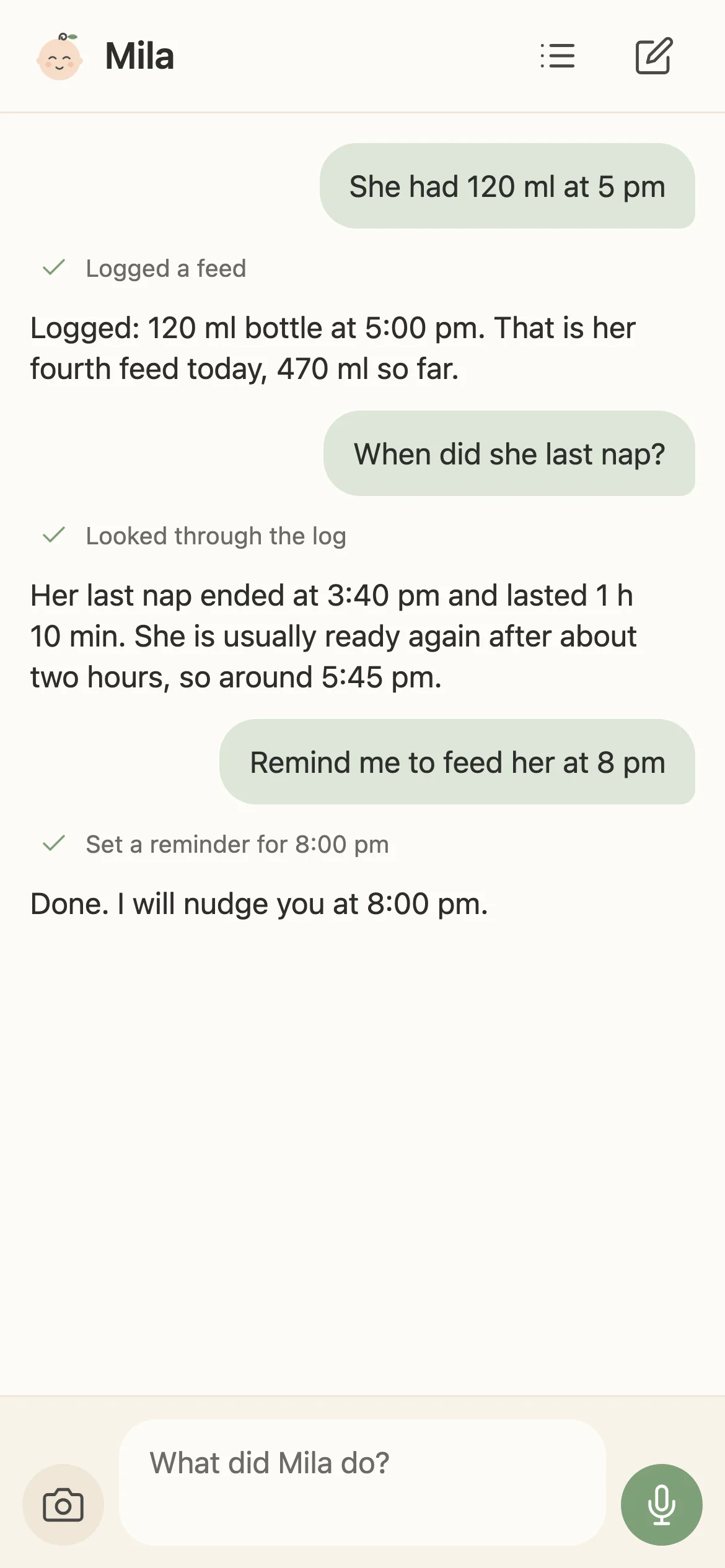
One chat. Everything about your baby.
-
Just say it
“120 ml” at 3 am, one-handed, and it is logged. No timers, no forms, one chat. Feeds, naps, diapers, weight, notes.
-
Snap it
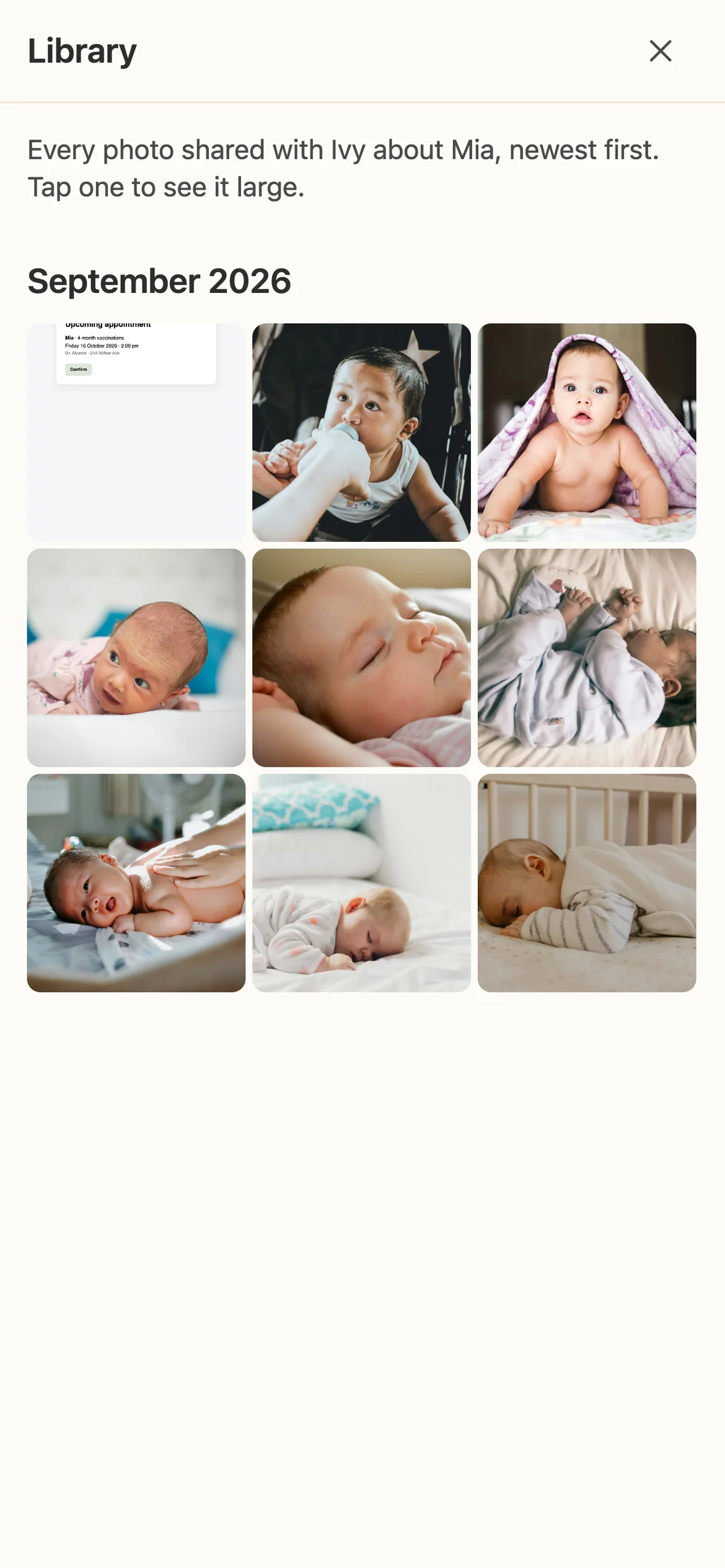
A photo of the bottle, a screenshot from the hospital app, the pediatrician’s letter. Ivy reads what is on it and records the events.
-
Say it out loud
Hold the mic and talk. The memo is transcribed and turned into the same tidy entries.
-
Share to Ivy
From Photos or any other app, share straight into the chat. Ivy fills in the message; you check it and tap send.
-
Ask anything
“When did she last eat?” “How much this week?” Exact numbers from your own log, not guesses. Grandparents can ask too.
-
Who said what, and when
Ask why Ivy thinks something and it names the caregiver and the time it was logged. Changed facts are kept, not lost.
-
Gentle reminders
“Remind us to feed her at 8 pm” rings on every caregiver’s phone at 8 pm. Pause them for a nap, resume when you are back.
-
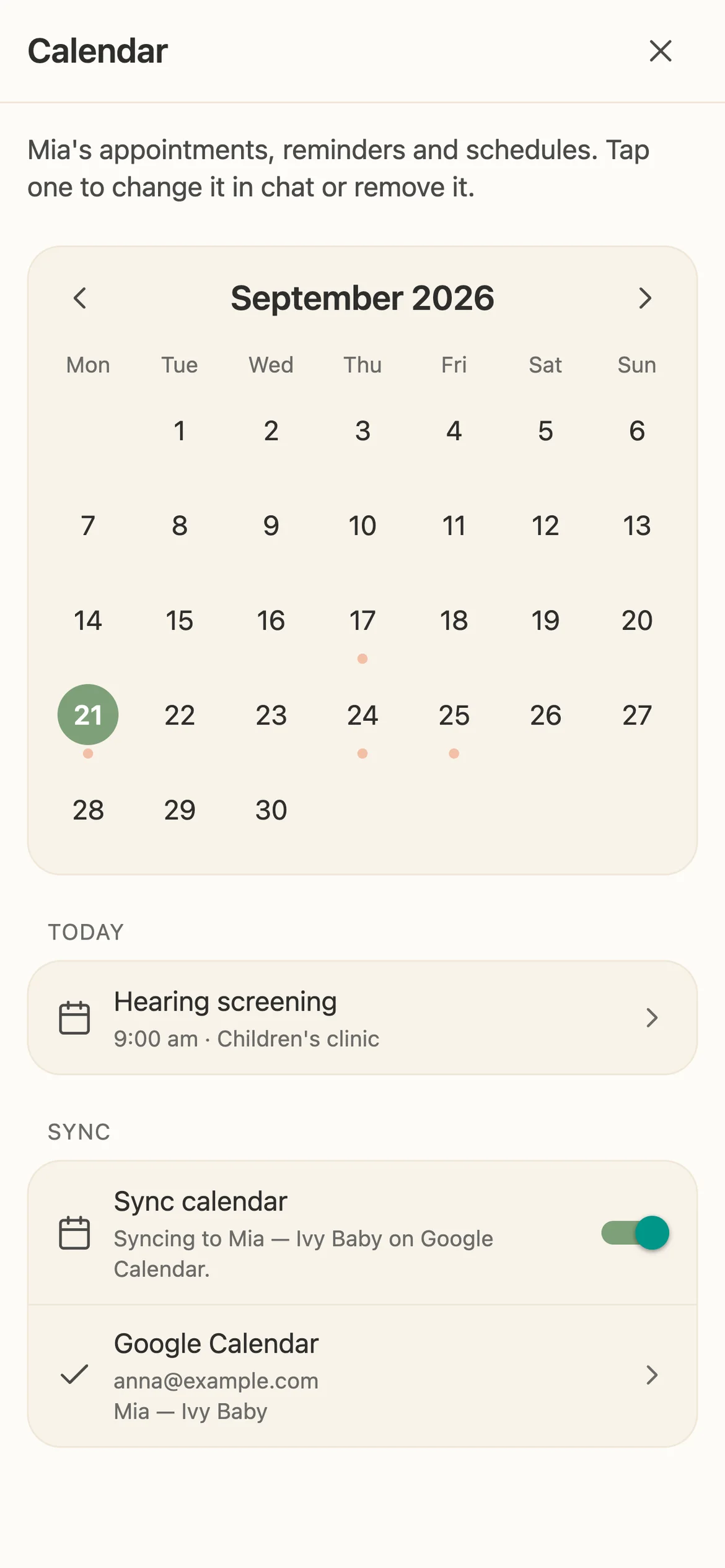
Appointments on a calendar
Screenshot the checkup letter and the visit is on the calendar with a reminder before it. A month view shows every appointment and reminder, who set it, and lets you edit or remove it.
-
On your home screen
The Quick log widget types, talks or snaps without opening the app. Next up shows what is coming, even on the Lock Screen.
-
Every caregiver, one baby
Send one invite link. Partner and grandparents log and ask from their own phone with their own sign-in. Nobody shares a password.
-
Fix it in a sentence
“Actually, that was 6 pm.” Ivy changes the entry instead of adding a second one. Open feeds close when you say “just finished”.
-
Yours alone
One household, one private place. Ivy shows you your own notes; your pediatrician gives the advice.
How Ivy compares
Tracker apps do a lot and therefore ask a lot. Ivy does one thing: it listens and knows.
| What | Ivy | Typical tracker apps |
|---|---|---|
| Logging a feed | One sentence, a photo or a voice memo | Timers, forms and taps |
| Questions | Ask in your words, get exact numbers from your own log | Read the charts and do the maths yourself |
| Who logged it | Named, with the time, whenever you ask | Rarely shown |
| Appointments | From a screenshot, with a reminder before the visit | Typed in by hand |
| Caregivers | One invite link, everyone on their own phone | A shared password |
| Home screen | Quick log and Next up widgets, Lock Screen included | Usually a paid tier |
| Advice | Your own notes, exact and dated. Advice comes from your pediatrician | Plans and predictions behind a subscription |
| Your data | Your household’s own private database | The vendor’s servers |
| Price | The first $2 of AI use is free, then prepaid credits | A free tier, then a subscription |
Questions parents ask
Is Ivy free?
The app is free to install. Every family gets the first $2 of AI use free; after that the caregiver who set Ivy up adds credits under Settings → Plan & billing. Credits are shared by everyone caring for the baby and never expire. There is no subscription.
Can my partner and the grandparents use it?
Yes. Send them the invite link from Settings → Caregivers. Everyone logs and asks from their own phone with their own sign-in, sees the same baby and gets the same reminders. Ivy remembers who said what.
What can I send Ivy?
Text, photos, screenshots and voice memos, typed into the chat or shared from another app. A bottle label, the hospital app, the pediatrician’s letter: Ivy reads it and asks before it guesses.
Does Ivy give medical advice?
No. Ivy shows you your own notes with exact numbers and dates. For advice, and whenever something worries you, ask your pediatrician.
Where is my data?
In your household’s own database, with row-level security and the conversation each entry came from. Nothing is shared with other families.
Which devices?
The web app works today in any browser. The iPhone app is on its way to the App Store; the badge above becomes a link the day it lands. Home screen widgets come with it.